
SAP Business One Licensing Explained: Professional vs Limited Users
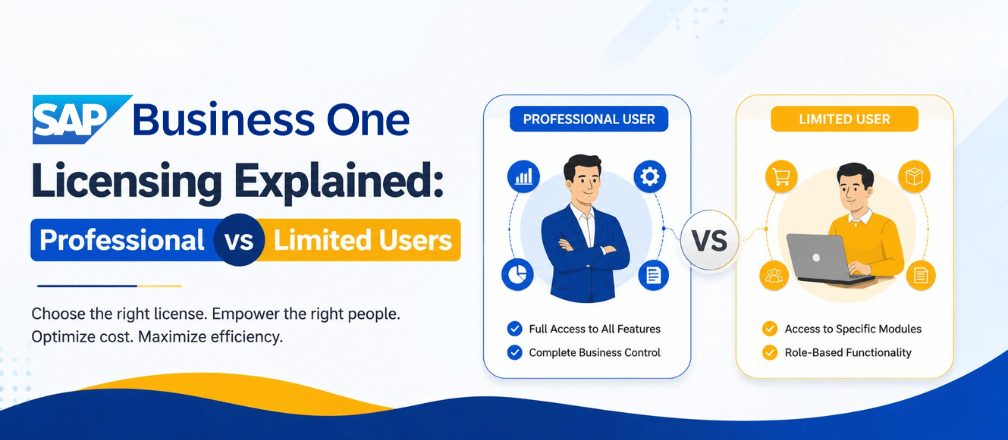
When implementing an ERP system, choosing the right user licenses is just as important as selecting the software itself. The right licensing strategy helps businesses optimize costs, improve security, and ensure employees have access to the tools they need.
SAP Business One offers multiple user license options to meet the needs of different business roles. The two most common license types are Professional User and Limited User. Understanding the differences between these licenses enables businesses to invest wisely while maximizing productivity.
In this guide, we’ll explain the features, benefits, use cases, and key differences between SAP Business One Professional and Limited User licenses to help you make the right choice.
What is an SAP Business One User License?
An SAP Business One user license allows an individual to access the ERP system. Every employee using SAP Business One must have an assigned license.
The type of license determines:
- Modules the user can access
- Business processes they can perform
- Reporting capabilities
- Administrative rights
- Overall licensing investment
Choosing the correct license ensures that employees receive the appropriate level of access without paying for features they don’t require.
SAP Business One Professional User License
The Professional User license provides comprehensive access to almost every module and functionality available in SAP Business One. It is intended for users who require complete visibility and control over business operations.
Key Features
- Financial Management
- Sales & Customer Relationship Management (CRM)
- Purchasing
- Inventory & Warehouse Management
- Production Management
- Material Requirements Planning (MRP)
- Service Management
- Project Management
- Banking
- Fixed Assets
- Human Resources
- Dashboards & Analytics
- Approval Procedures
- Administration
- Advanced Reporting
Best Suited For
Professional User licenses are ideal for:
- Business Owners
- Managing Directors
- CEOs
- CFOs
- Finance Managers
- ERP Administrators
- Department Heads
- Operations Managers
- Production Managers
These users typically require access across multiple departments and rely on real-time business insights for decision-making.
SAP Business One Limited User License
The Limited User license is designed for employees who work within a specific department or perform defined operational tasks.
Rather than providing full ERP access, Limited User licenses grant access only to relevant business functions, making them a cost-effective choice.
Types of Limited User Licenses
Financial Limited User
Ideal for finance teams.
Suitable for:
- Accountants
- Accounts Payable Executives
- Accounts Receivable Executives
- Finance Executives
Logistics Limited User
Designed for inventory and purchasing teams.
Suitable for:
- Purchase Executives
- Warehouse Managers
- Inventory Controllers
- Store Managers
CRM Limited User
Designed for customer-facing teams.
Suitable for:
- Sales Executives
- Business Development Executives
- Customer Service Teams
- Sales Coordinators
SAP Business One Professional vs Limited User
| Feature | Professional User | Limited User |
|---|---|---|
| Financial Management | ✔ Full Access | Limited |
| Sales | ✔ | Limited |
| Purchasing | ✔ | Limited |
| Inventory Management | ✔ | Limited |
| Production | ✔ | Limited |
| Material Requirements Planning (MRP) | ✔ | No |
| Service Management | ✔ | Limited |
| Administration | ✔ | No |
| Approval Procedures | ✔ | Limited |
| Dashboards & Analytics | Full | Limited |
| Reporting | Advanced | Standard |
| Best For | Managers & Decision Makers | Departmental Users |
Which SAP Business One License Should You Choose?
The ideal license depends on the employee’s job role and business responsibilities.
Choose Professional User if:
- The employee manages multiple departments.
- Full ERP functionality is required.
- Advanced reports and analytics are needed.
- The user approves business transactions.
- They manage or administer the ERP system.
Choose Limited User if:
- The employee works within one department.
- Only selected ERP modules are required.
- The role is operational rather than managerial.
- The organization wants to optimize licensing costs.
Example Licensing Structure for a Manufacturing Company
| Employee Role | Recommended License |
|---|---|
| Managing Director | Professional |
| CEO | Professional |
| CFO | Professional |
| Finance Manager | Professional |
| Accounts Executive | Financial Limited |
| Purchase Executive | Logistics Limited |
| Warehouse Manager | Logistics Limited |
| Sales Executive | CRM Limited |
| Customer Support | CRM Limited |
| Production Manager | Professional |
This licensing approach provides complete functionality to key decision-makers while keeping licensing costs under control.
Benefits of Choosing the Right SAP Business One License
A well-planned licensing strategy offers several advantages:
- Lower ERP licensing costs
- Better role-based security
- Increased employee productivity
- Simplified user management
- Improved return on investment (ROI)
- Easy scalability as your business grows
Why Choose Cogniscient Business Solutions?
Choosing the right licensing model is easier with an experienced implementation partner.
Cogniscient Business Solutions (CBS) is an SAP Business One Gold Partner with over 19 years of experience helping businesses streamline operations through ERP solutions. With 500+ successful implementations, 500+ satisfied customers, and a presence across 20+ cities in India, CBS has helped organizations across manufacturing, trading, retail, pharmaceuticals, automotive, chemicals, food processing, and other industries achieve digital transformation.
Our certified SAP Business One consultants work closely with businesses to recommend the most suitable licensing strategy based on current requirements and future growth plans.
Our Services
- SAP Business One License Consultation
- Professional & Limited User License Planning
- New SAP Business One Implementations
- ERP Migration
- SAP Business One Customization
- Add-on Development
- User Training
- Annual Maintenance & Support (AMC)
- Cloud Deployment
- Performance Optimization
Whether you’re implementing SAP Business One for the first time or optimizing your existing ERP environment, Cogniscient ensures you get the right licensing mix while maximizing your return on investment.
Get a Free SAP Business One Licensing Consultation
Our SAP experts can help you identify the ideal licensing structure for your business.
Contact Us
sales@cogniscient.in
+91-9811454343
www.cogniscient.in
Conclusion
Selecting the right SAP Business One license is essential for maximizing ERP efficiency while controlling costs. Professional User licenses provide comprehensive access for managers and decision-makers, whereas Limited User licenses offer department-specific functionality for operational teams.
By understanding the differences between these license types and aligning them with employee responsibilities, businesses can create a scalable, secure, and cost-effective ERP environment.
If you’re unsure which licensing model best fits your organization, Cogniscient Business Solutions can help. As an SAP Business One Gold Partner, we provide expert licensing guidance, seamless implementation, and ongoing support to ensure you get the most value from your ERP investment.
Frequently asked questions
Can a Limited User access every SAP Business One module?
No. Limited Users can only access the modules included in their assigned license.
Can a Limited User be upgraded to a Professional User?
Yes. Businesses can upgrade licenses as employee responsibilities change.
Does every SAP Business One user require a license?
Yes. Every individual accessing SAP Business One must have an assigned user license.
Which license is suitable for senior management?
Professional User licenses are recommended for business owners, directors, executives, finance managers, and ERP administrators.