
SAP Business One Add-ons: Industry-Specific Solutions for Growing Businesses
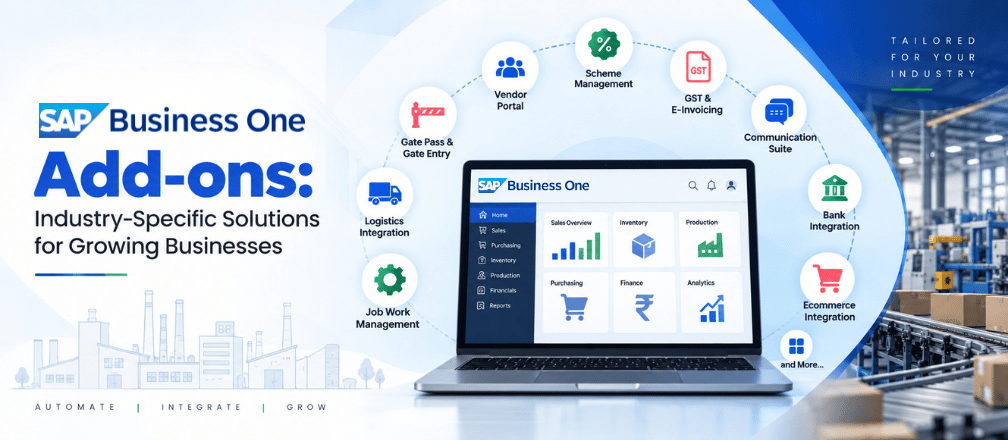
As businesses grow, their operational requirements often become more complex. While SAP Business One provides a strong foundation for managing core business processes, companies may need additional capabilities tailored to their specific industry, workflows, compliance requirements, and operational needs.
SAP Business One add-ons extend the ERP system with specialized functionality, helping businesses automate processes, improve visibility, reduce manual work, and manage industry-specific requirements more effectively.
From manufacturing and logistics to finance, compliance, inventory, and communication, the right add-ons can help organizations get more value from their SAP Business One investment.
Why Do Businesses Need SAP Business One Add-ons?
Every business has its own processes. A manufacturing company may need detailed batch production and quality control, while a trading company may require ecommerce integration, scheme management, or advanced logistics capabilities.
Add-ons can help bridge these specific requirements by extending SAP Business One with additional functionality.
Common benefits include:
- Greater process automation
- Better inventory visibility
- Improved operational control
- Reduced manual data entry
- Faster information flow
- Better compliance management
- Improved tracking and traceability
- More efficient communication between departments and business partners
Key SAP Business One Add-ons for Growing Businesses
1. Job Work Management
Job Work Management helps businesses track outsourced production and subcontracting activities.
It can manage the movement of raw materials to subcontractors, track quantities and wastage, and monitor finished goods received back from job workers. Businesses can also monitor timelines, job status, costs, billing, and compliance.
Key capabilities include:
- Material tracking
- Job order management
- Labour and processing cost tracking
- Inventory visibility
- Documentation for audits and taxation
This can be particularly useful for manufacturing businesses that regularly outsource part of their production process.
2. Logistics Integration
Logistics Integration provides better visibility into shipments and dispatch planning.
It can bring warehouse and transportation information together, helping businesses track shipments, identify potential delays, and keep customers updated.
For dispatch planning, order information, inventory availability, vehicle resources, routes, and delivery schedules can be aligned to support more efficient transportation planning.
This can help reduce bottlenecks, improve delivery timelines, and control transportation-related costs.
3. Gate Pass & Gate Entry System
A Gate Pass & Gate Entry System helps control and track the movement of materials and vehicles into and out of factories, warehouses, and distribution facilities.
For inbound materials, businesses can record supplier information, vehicle details, material type, and quantity. For outbound movement, approved dispatches can be linked with invoices or delivery orders.
Features such as barcode/QR scanning and weighbridge integration can further reduce manual errors and speed up gate operations.
4. Vendor Portal
A Vendor Portal gives suppliers access to relevant information such as purchase orders, order status, delivery schedules, payment updates, invoices, and required documentation.
Vendors can upload invoices and compliance documents and track approvals without depending entirely on emails or manual follow-ups.
This can streamline vendor communication, invoicing, and payment reconciliation.
5. Scheme Management
Scheme Management helps businesses configure and monitor trade schemes, promotional offers, and discounts.
Companies can manage schemes based on parameters such as:
- Quantity
- Product category
- Purchase volume
- Time period
This provides greater control over trade promotions offered to distributors, retailers, or customers.
6. Digital Signature
The Digital Signature add-on enables businesses to electronically sign invoices and other documents directly within SAP Business One.
It can be configured for different documents, including invoices and orders, and supports signing through available file or USB-based methods.
This reduces the need for printing and manually signing documents.
7. Communication Suite
The Communication Suite automates business communication through channels such as WhatsApp, SMS, and email.
Businesses can configure automatic communication for:
- Invoices
- Alerts
- Order confirmations
- Delivery updates
- Payment reminders
For example, when an invoice is generated, it can be automatically shared with the customer through email or WhatsApp.
This helps reduce manual communication and ensures important information reaches stakeholders quickly.
8. Bank Integration
Bank Integration connects SAP Business One with banking systems to automate the exchange of financial information.
It can synchronize transactions such as customer payments, vendor payouts, and account balances, reducing manual data entry.
The result can be faster reconciliation, improved financial visibility, and fewer data-entry errors.
9. Ecommerce Integration
For businesses selling through online channels, Ecommerce Integration can synchronize important information between SAP Business One and online stores.
Data such as:
- Product information
- Inventory
- Pricing
- Orders
- Customer information
- Shipping status
- Payment updates
can flow between the ERP and ecommerce environment.
For example, an order received through an ecommerce platform can be updated in SAP Business One for processing, invoicing, and fulfilment, while inventory changes in the ERP can be reflected on the online store.
10. QR/Barcode
The QR/Barcode add-on enables automated tagging, scanning, and tracking of inventory and products.
Unique QR codes or barcodes can be assigned to items and scanned during receiving, storage, picking, and dispatch.
This improves the speed and accuracy of inventory data capture while providing better product visibility and tracking.
11. Weighbridge Integration
Weighbridge Integration automatically captures vehicle and material weight data during inward and outward movements.
Weight information can be directly synchronized with the system, reducing manual entry and minimizing the possibility of errors.
It can support accurate billing, inventory control, compliance, and faster gate operations.
12. GST Return & Reconciliation
The GST Return & Reconciliation add-on helps businesses prepare and manage GST-related processes.
It can pull information from sales, purchasing, and accounting records to support the preparation of returns such as GSTR-1 and GSTR-3B.
Automating these activities can reduce manual effort and help minimize filing errors.
13. E-Invoicing & E-Way Bill
E-Invoicing & E-Way Bill integration supports digital invoicing and goods movement compliance.
E-invoicing can generate standardized invoices and facilitate validation through the government portal, including generation of the Invoice Reference Number (IRN).
The E-Way Bill component supports electronic documentation for the transportation of applicable goods.
Together, these capabilities can simplify billing, goods movement, and compliance processes.
14. Multi-Branch Reconciliation
Businesses operating across multiple branches can use Multi-Branch Reconciliation to obtain a consolidated view of customer transactions.
The add-on supports reconciliation across branches and helps provide a unified view of financial transactions.
Manufacturing-Focused SAP Business One Add-ons
Manufacturing businesses often require more specialized functionality because their operations involve production planning, quality control, traceability, maintenance, and product development.
15. QC Add-on
The QC Add-on strengthens quality assurance by embedding quality checks into the product or process lifecycle.
It can support stage-wise inspections, testing, documentation, and compliance requirements.
This helps businesses improve consistency, reduce defects, and maintain appropriate records for audits and compliance.
16. Batch Production (Formulation)
Batch Production (Formulation) is designed for businesses that manufacture products in controlled batches using predefined formulations or recipes.
It is particularly relevant to industries such as:
- Pharmaceuticals
- Food & beverages
- Cosmetics
- Chemicals
The process supports batch-wise production, controlled conditions, quality checks, and traceability.
It can help businesses maintain product consistency, support different product variants, and improve quality control.
17. New Product Development (NPD)
The New Product Development (NPD) add-on provides a workflow-based approach for managing new product development.
The process can cover stages such as:
Idea → Feasibility → Design → Development → Testing → Approval → Launch
It also supports cross-functional collaboration between teams such as R&D, production, quality, marketing, and regulatory functions.
By maintaining specifications, testing results, approvals, and change records, businesses can improve product-development coordination and traceability.
18. Stage-Wise Production Tracking
Stage-Wise Production Tracking provides visibility into the progress of production at each stage.
For example, businesses can track:
Raw Material → Processing → Assembly → Packaging → Dispatch
Real-time updates and visual dashboards can make it easier to identify the current status of batches or production orders.
This improves production control, visibility, and traceability.
19. Plant Maintenance
The Plant Maintenance add-on helps businesses plan and track equipment maintenance.
It can cover:
- Preventive maintenance
- Corrective maintenance
- Predictive maintenance
- Breakdown maintenance
The objective is to reduce equipment downtime, improve reliability, extend asset life, and support smooth plant operations.
Other Specialized Add-ons
20. BOQ (Bill of Quantities)
BOQ helps businesses estimate, procure, and monitor project-based requirements.
It provides a structured list of materials, labour, work items, quantities, and estimated costs.
It can support:
- Cost estimation
- Procurement planning
- Project monitoring
- Usage and wastage control
This is particularly relevant to construction and project-based businesses.
21. Chat AI
The Chat AI add-on enables users to retrieve reports from SAP and generate SAP documents through conversational interaction.
It can support documents such as:
- Sales Orders
- Purchase Orders
- Sales Quotations
- Purchase Quotations
This provides an additional way for users to interact with business information and SAP processes.
22. Branch Transfer
The Branch Transfer add-on automates accounting entries between branches.
When one branch generates a sales invoice for goods transferred to another branch, the receiving branch can automatically record the corresponding purchase invoice.
This reduces manual duplication and supports smoother inventory and accounting reconciliation across branches.
How to Choose the Right SAP Business One Add-ons?
There is no single combination of add-ons that works for every business. The right selection depends on the organization’s industry, processes, transaction volumes, compliance requirements, and operational challenges.
Before implementing an add-on, businesses should consider:
1. Identify the Process Gap
Start by identifying which existing business process requires additional functionality or automation.
2. Consider Industry Requirements
Manufacturing, logistics, ecommerce, construction, and other industries may have significantly different requirements.
3. Evaluate Integration
The add-on should work effectively with existing SAP Business One processes and other business systems.
4. Consider Scalability
As the business grows, the selected solution should be able to support increasing users, transactions, branches, products, and processes.
5. Measure Business Value
Evaluate how the add-on can reduce manual work, improve visibility, control costs, or strengthen compliance.
Why Choose Cogniscient Business Solutions for SAP Business One?
Cogniscient Business Solutions Pvt. Ltd. (CBS) helps businesses leverage SAP Business One with solutions designed around their operational requirements.
Beyond implementing an ERP platform, businesses often need their SAP Business One environment to address specific processes such as manufacturing, job work, quality control, logistics, taxation, inventory management, ecommerce, banking, and branch operations.
Cogniscient’s portfolio of SAP Business One add-ons is designed to extend ERP functionality for these specialized business requirements.
From Job Work Management and Batch Production to QC, Stage-Wise Production Tracking, Plant Maintenance, GST Reconciliation, E-Invoicing, Ecommerce Integration, Communication Suite, and Branch Transfer, these solutions can help businesses connect their industry-specific workflows with SAP Business One.
SAP Business One Solutions Built Around Your Business
Every organization has different processes, challenges, and growth objectives. Cogniscient can help businesses identify the relevant SAP Business One capabilities and add-ons based on their operational requirements.
Whether you are a manufacturing company, trading business, ecommerce organization, project-based company, or multi-branch enterprise, the objective is to create a more connected and efficient ERP environment.
Looking to extend SAP Business One for your specific business requirements?
Talk to Cogniscient Business Solutions to explore the right SAP Business One add-ons for your business.
Conclusion
SAP Business One provides a strong ERP foundation, while industry-specific add-ons can extend its capabilities to address specialized business requirements.
From Job Work Management, QC, Batch Production, and Stage-Wise Production Tracking for manufacturing businesses to Ecommerce Integration, Communication Suite, Bank Integration, GST Reconciliation, and Logistics Integration, organizations can select additional capabilities based on their specific processes and growth requirements.
With the right combination of SAP Business One and specialized add-ons, businesses can build an ERP environment that is better aligned with their operations and future growth.
Cogniscient Business Solutions helps businesses explore and implement SAP Business One solutions and add-ons designed around their specific operational needs.